Most Mains preparation stops at writing answers. The bottleneck isn't writing more — it's knowing what to fix. Swādhyāya's Mains module gives you the practice loop that turns every answer into an upgrade signal.
Why writing more answers doesn't work
If writing answers alone made people clear Mains, the tens of thousands of aspirants churning out 3–4 answers a day in every test series would all be scoring 150+. They don't. The reason is that a Mains answer is only useful if you know:
- What the question was actually asking (directive, sub-demands, examiner's intent)
- Where your version fell short of what a good answer would have looked like
- Which specific gap — content, structure, argument, examples — cost you marks
Without those three signals, you're writing the same average answer forty different ways. Ten weeks in, your marks look identical to Week 1.
What a proper Mains practice loop looks like
The loop is four steps and it has to repeat every time.
- Decode the question. Directive, examiner intent, sub-demands, word strategy. Two minutes before you write.
- Write with a frame. Introduction commits to a position; body defends it with structure the directive demands; conclusion returns to the frame with a concrete way forward.
- Evaluate honestly. Not "was it good?" — which specific dimension was weak? Structure? Data usage? Argument coherence? Directive alignment?
- Fix one thing next time. Not everything. The one thing that would most have changed this answer's grade.
Skip any of the four and the loop leaks.
How Swādhyāya's Mains module runs this loop
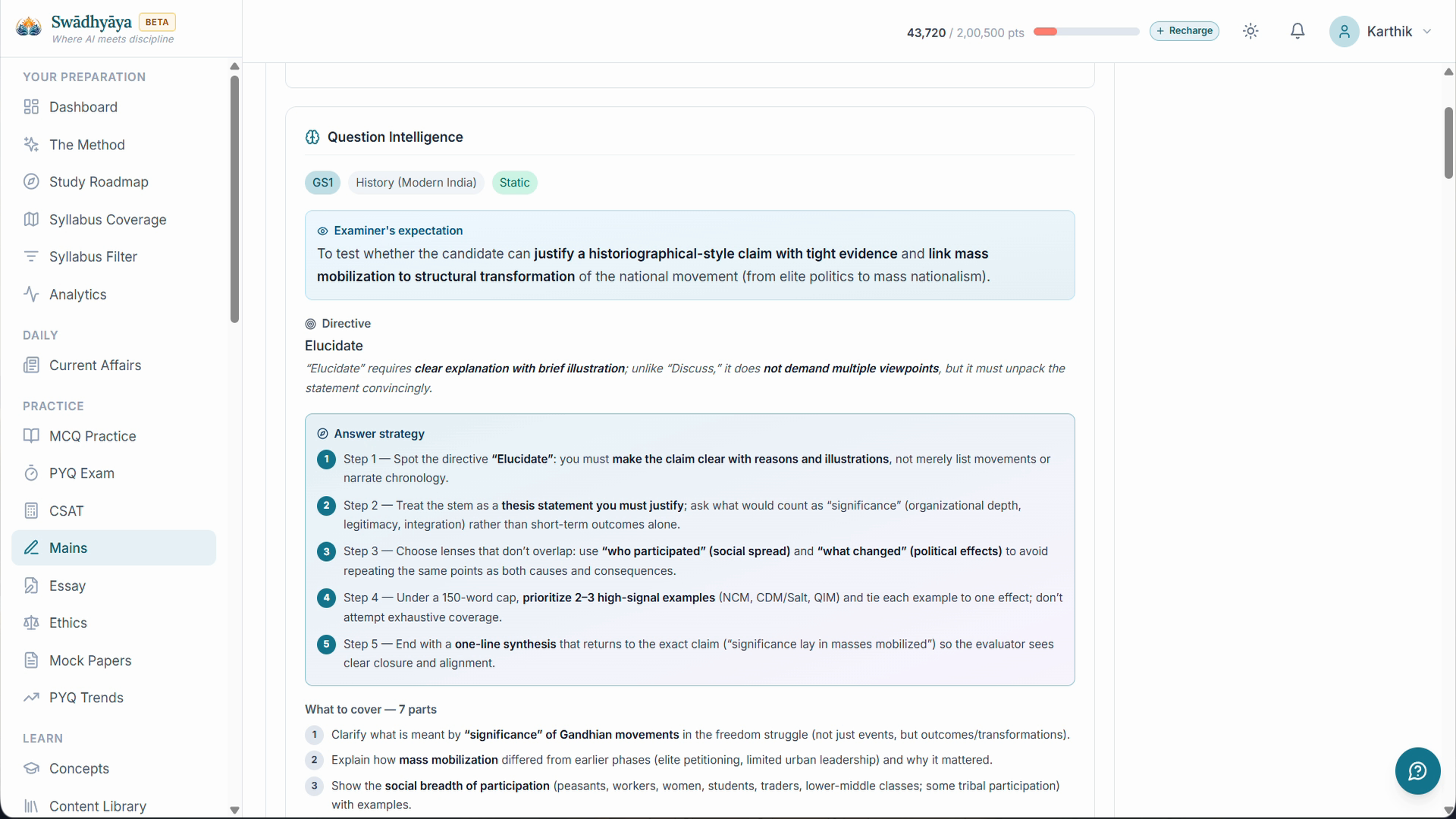
Every question you open on Swādhyāya's Mains module gets its own Question Intelligence card — directive, examiner intent, sub-demands, word budget (intro / body / conclusion). Two minutes of reading before you write.
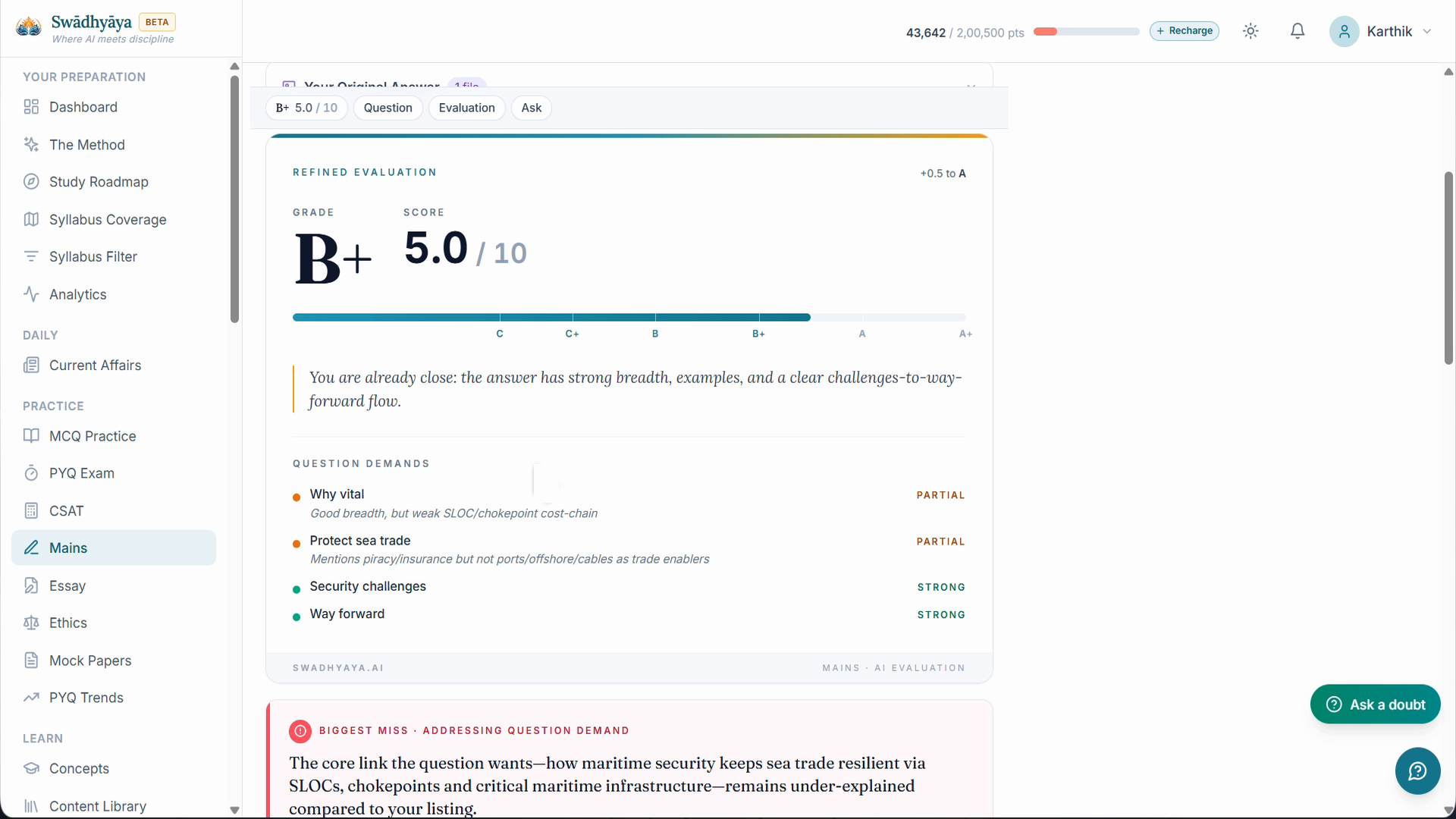
You write your answer directly on the platform (typed or handwritten PDF). When you submit, AI evaluation produces dimension-wise feedback: which sections were strong, where the argument thinned, which specific data or examples the answer needed. You get an enhanced model answer that keeps your voice but shows the version you would have written if you'd caught the gaps yourself.
Every attempt gets a persistent prep card. So the next time you see the same directive pattern — Critically evaluate in GS2 — you can pull up your last three attempts and see what worked, what didn't, what to fix this time.
What makes it different from generic answer writing tools
- Question Intelligence. Nobody else decodes the question before you write. Every other tool checks after.
- Dimension-wise evaluation. Not a single grade. Structure, content, argument, directive alignment — each scored separately with a specific fix.
- Enhanced model answer keeps your voice. Not a template. The version of your answer that catches the gaps you'd have caught yourself in a better attempt.
- Diagrams travel with the answer. Hand-drawable shapes (triangle, Venn, cycle, 2×2) generated per topic so you can reproduce them under 90 seconds in the exam.
Where to start
Pick one PYQ you struggled with. Open Question Intelligence on it. Read the directive breakdown. Write your answer. Submit for evaluation. Read the dimension feedback.
Do that once. If the loop feels different from what you've been doing, do it again.